🖥 Native Mac & Windows app · 60+ languages · 1 free hour

Understand & speak any language
in real time, on your computer

SpeakFlow Pro listens to any call, meeting or video and reads it to you in your language — and turns what you say into their language, spoken through a virtual mic or typed straight into the chat.

Free hour included on either · macOS 14.4+ (Apple Silicon & Intel), notarized by Apple · Windows 10/11 (x64 & ARM) · No API keys, nothing to configure
SpeakFlow Pro translating a call, with live captions

Everything for a conversation across languages

One app, four situations — pick a preset and press Play.

📞

Video calls

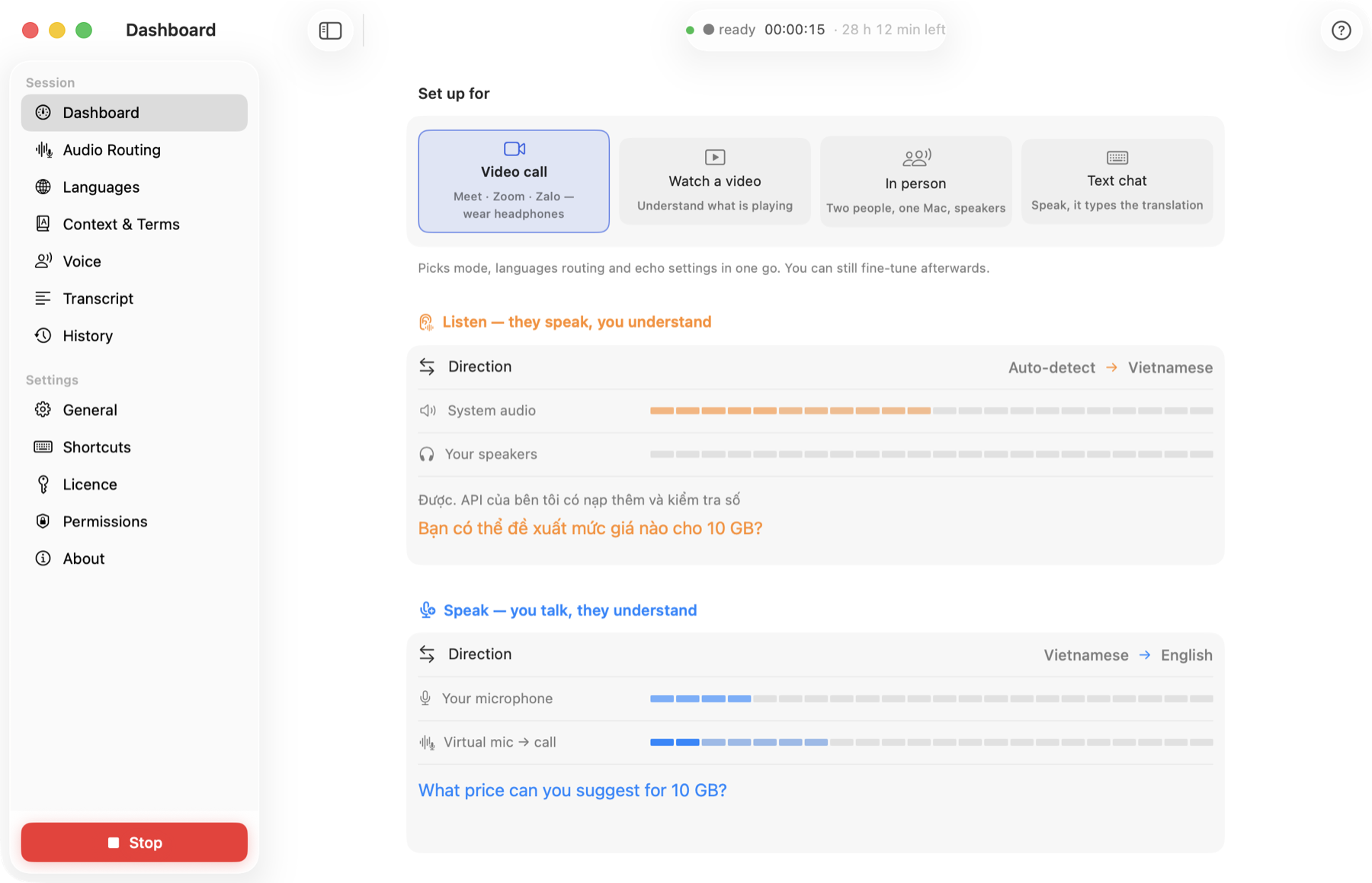
Meet, Zoom, Teams, Zalo, FaceTime. Hear them in your language; they hear you in theirs through the SpeakFlow virtual microphone.

🎬

Watch videos

Any audio on your computer — YouTube, podcasts, lectures, films — spoken in your language with captions, keeping pace with the video.

🤝

In person

One microphone, two people, two languages: the app detects who is speaking which language and translates both ways out of the speakers.

💬

Text chat

Speak, and the translation is typed into WhatsApp, Slack, Telegram or any chat box — re-checked by a language model so misheard words are fixed from context.

🗣️

Natural voices & voice cloning

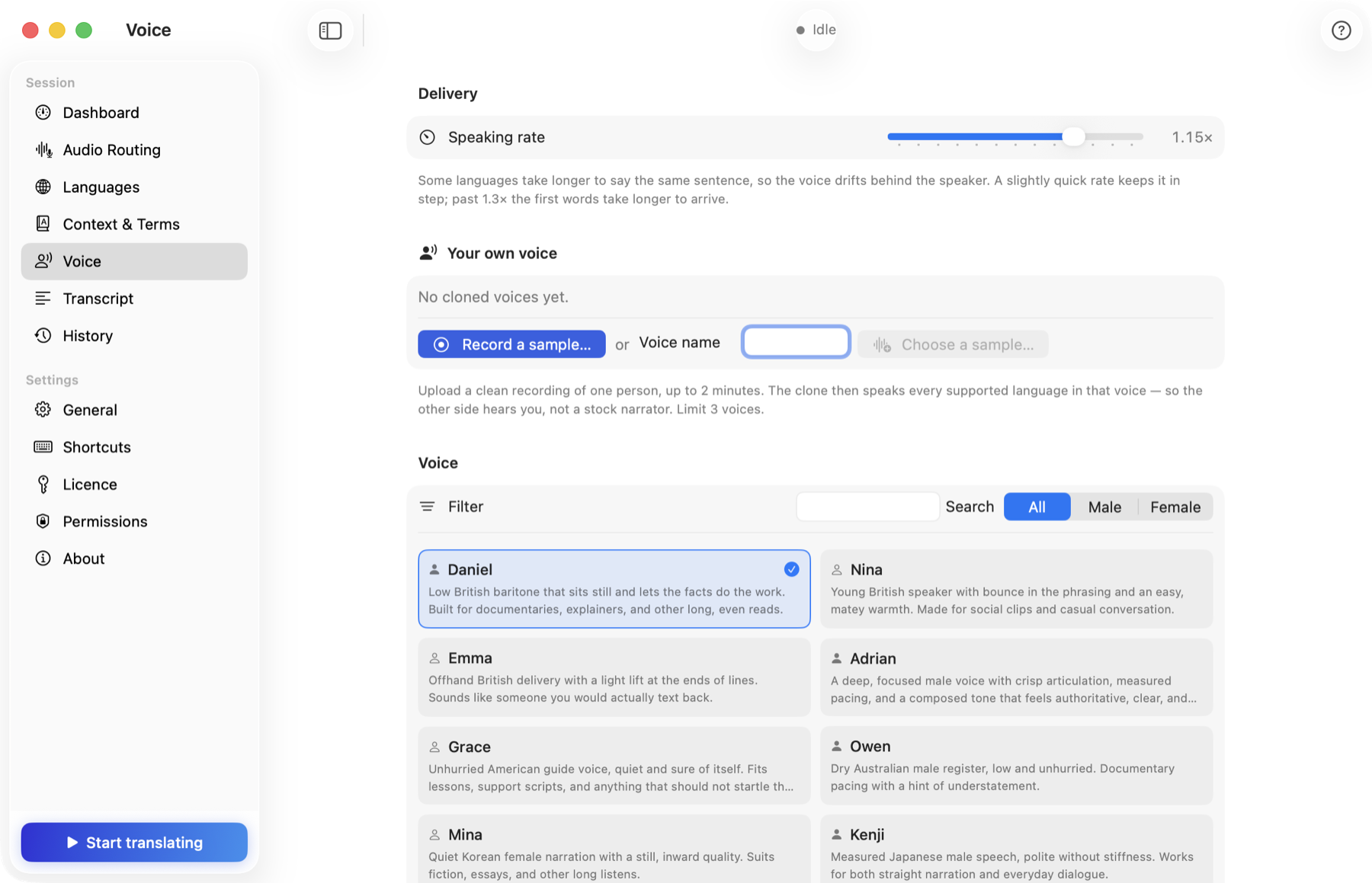
Nearly 100 multilingual voices. Record 30 seconds and the app speaks every language in your own voice.

🧠

Knows the topic

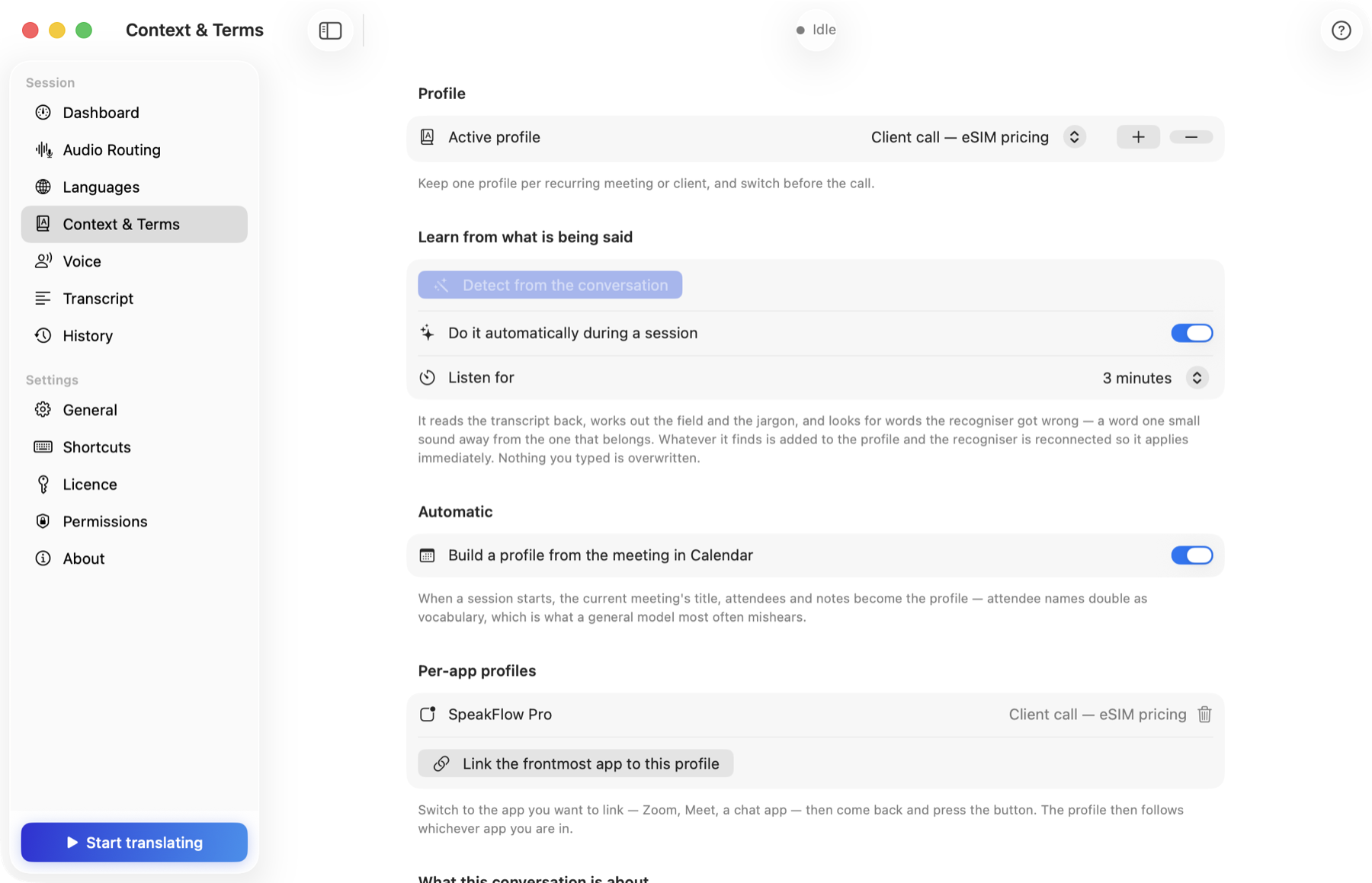
Tell it the subject, or let it detect the meeting context automatically — names, jargon and product terms come out right.

📝

Captions, transcript, summary

A floating caption panel you can resize anywhere, a full bilingual transcript, and a one-paragraph AI summary on demand.

⌨️

Shortcuts

Push-to-talk, replay the last sentence, type-to-speak, select any text and hear it translated (⌘⇧D).

⏱️

Pay by the hour

Hours are counted only while a session runs. They never expire. The first hour is on us.
A native app, not a web page

SwiftUI on the Mac, a native Windows build on the PC — each belongs on the machine it runs on. The screens below are the Mac version.

Dashboard during a call
Dashboard — both directions live, with signal meters and presets
Floating caption panel
Floating captions — drag anywhere, resize to fit under a video or beside a chat
Voice settings
Voices — pick from nearly 100, or clone your own
Context settings
Context — topic, glossary and automatic meeting detection

Up and running in 2 minutes

No API keys, no accounts to create.

1

Download & open

Mac: drag SpeakFlow Pro to Applications — it's notarized by Apple. Windows: run the installer.

2

Let it hear your computer

Mac: grant screen & audio recording, plus Accessibility to type into chats. Windows: nothing to grant — Windows lets the app listen to the sound card directly. The app walks you through either way.

3

Start your free hour

Licence → Try free for 1 hour. No card.

4

Pick a preset, press Play

Video call, Watch video, In person or Text chat. That's it.

⬇︎ Mac ⬇︎ Windows

Simple hour packs

Buy hours once, use them whenever. Two-way calls and one-way videos cost the same. Hours never expire.

Starter

10 hours
$19
$1.90 per hour · never expires
Buy 10 hours
MOST POPULAR

Standard

30 hours
$39
$1.30 per hour · never expires
Buy 30 hours

Pro

100 hours
$99
$0.99 per hour · never expires
Buy 100 hours

Secure checkout with PayPal or card · Licence works on 2 of your computers — Mac or Windows · Already have a key? Top it up

Made for real life

💼
Meetings with overseas teamsFollow and join Meet / Zoom calls in another language, hands-free.
📞
Customers & suppliers abroadNegotiate on a call without a shared language.
🎬
Foreign videos & lecturesWatch anything in your language, in real time.
✈️
Travel & visitsFace-to-face conversations from one laptop on the table.
💬
Chatting in a foreign languageSpeak Vietnamese, send perfect English.
📚
LearningHear natural translations and a transcript to review.

Frequently asked questions

Is this the Chrome extension?

No. This page is about SpeakFlow Pro, the Mac and Windows app for live speech. The Chrome extension, SpeakFlow Translate, translates YouTube videos in the browser and is a separate, free product.

Do I need an API key?

No. Everything is included in the hours — recognition, translation and voices. Just download, take your free hour, and press Play.

How are hours counted?

Only while a session is running (from Play to Stop), in real time, whatever preset you use. Stop the session and the meter stops. Hours never expire.

Which computers are supported?

Mac: macOS 14.4 (Sonoma) or later, on both Apple Silicon and Intel. Windows: Windows 10 or 11, on x64 and ARM. The same licence key works on either, and your hours are shared between them.

Do I need headphones?

For calls, headphones are best. For in-person use the app has an echo guard, so the built-in speakers work.

Is my data private?

Audio is streamed to the speech engine for translation and not stored; transcripts and settings stay on your own computer. We don't sell your data.

Can I get a refund?

If something isn't working, email support@speakflowlive.com — we'll help or refund unused hours.

🌐

Looking for the YouTube translator?

That's SpeakFlow Translate, our free Chrome extension — subtitles and AI dubbing for YouTube videos. Different product, separate install.

Go to SpeakFlow Translate →