🖥 MAC & WINDOWS · PAID BY THE HOUR
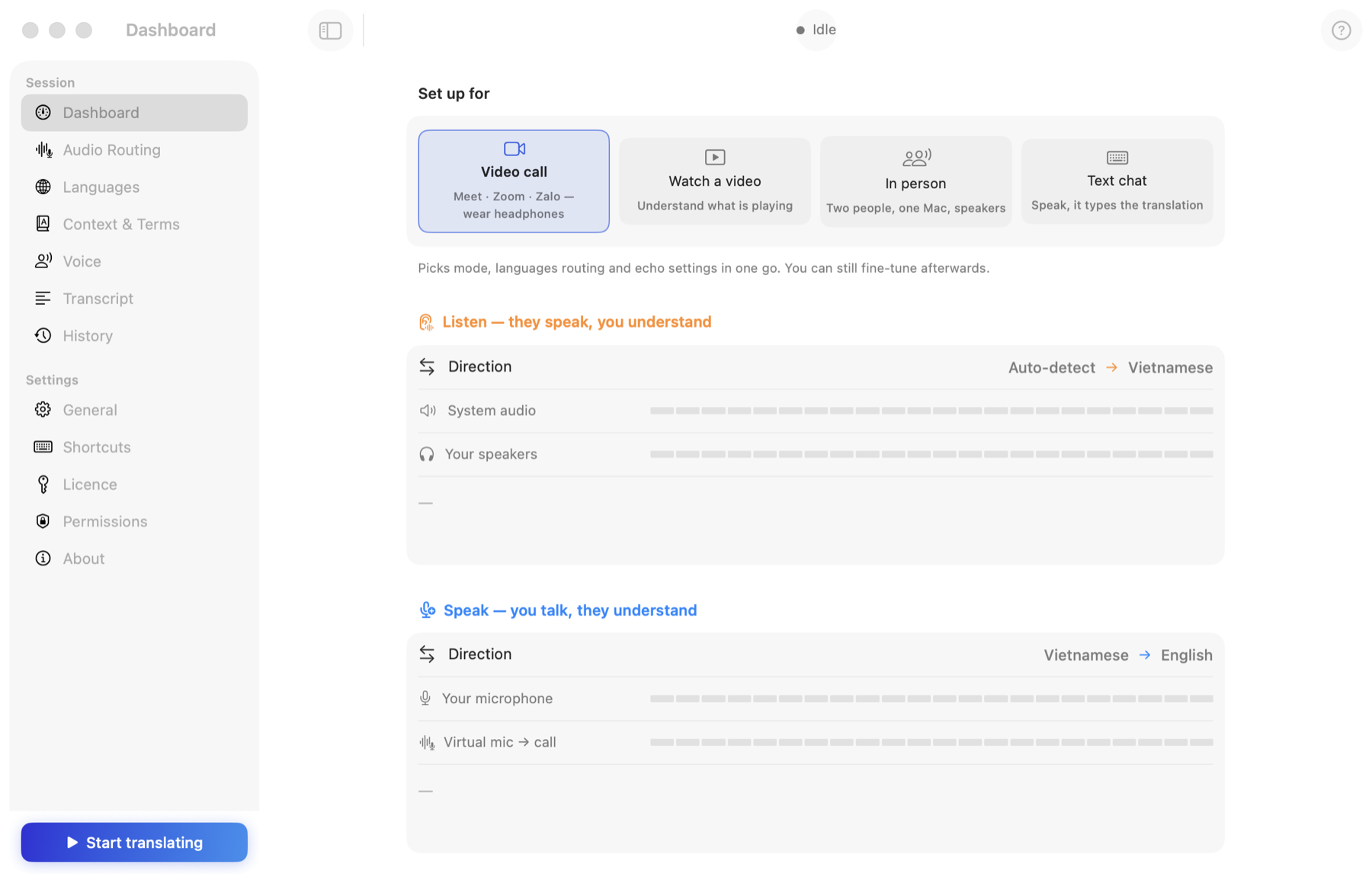
SpeakFlow Pro
Real-time speech translation on your Mac or Windows PC. Hear any call, meeting or video in your language and speak back through a virtual microphone — in 60+ languages, with natural voices.
- Google Meet, Zoom, Teams, Zalo, FaceTime — any app
- Two-way conversations, in person or online
- Type the translation straight into a chat box
- Voice cloning, live captions, transcripts, AI summary
- 1 free hour on every computer · packs from $19
🌐 CHROME EXTENSION · FREE

SpeakFlow Translate
Translate and AI-dub any YouTube video in your browser — subtitles in 100+ languages, natural voice-over, SRT export and AI summary. Not for calls or meetings.
- Works on YouTube only, in Chrome / Edge / Brave
- Free, no account needed
- Optional VIP: premium AI models & voices
- Download translated subtitles as SRT
- AI video summary
What do you want to do?
Each one is a short page about that situation.
Translate a Zoom / Meet / Teams meetingFollow it in your language and answer in theirs.
Watch any video on my computerWebinars, films, podcasts — not only YouTube.
Talk face to faceOne laptop between two people, two languages.
Watch YouTube in my languageFree Chrome extension: subtitles and AI dubbing.
Study a foreign-language courseBoth subtitle lines, SRT export, summaries.
Read the guidesStep-by-step walk-throughs.
Which one do I need?
| SpeakFlow Pro (Mac & Windows) | SpeakFlow Translate (Chrome) | |
|---|---|---|
| What it translates | Live speech: calls, meetings, videos, people in the room | YouTube videos in the browser |
| Where it runs | macOS (Apple Silicon & Intel) and Windows 10/11 (x64 & ARM) | Chrome extension |
| Speaks for you | Yes — your translated voice goes into the call | No |
| Price | Hour packs from $19 · 1 free hour | Free · VIP from $6.90/mo |
| Licence | Licence key (SFL-…) in the app | Account sign-in in the extension |